Locked In press kit
Locked In: Text a Friend to Unblock Apps. It's an iPhone app blocker where a friend you pick (your Guardian) approves or declines by text when you try to end a block early, paired with location-based blocks (Red Zones).
What it is
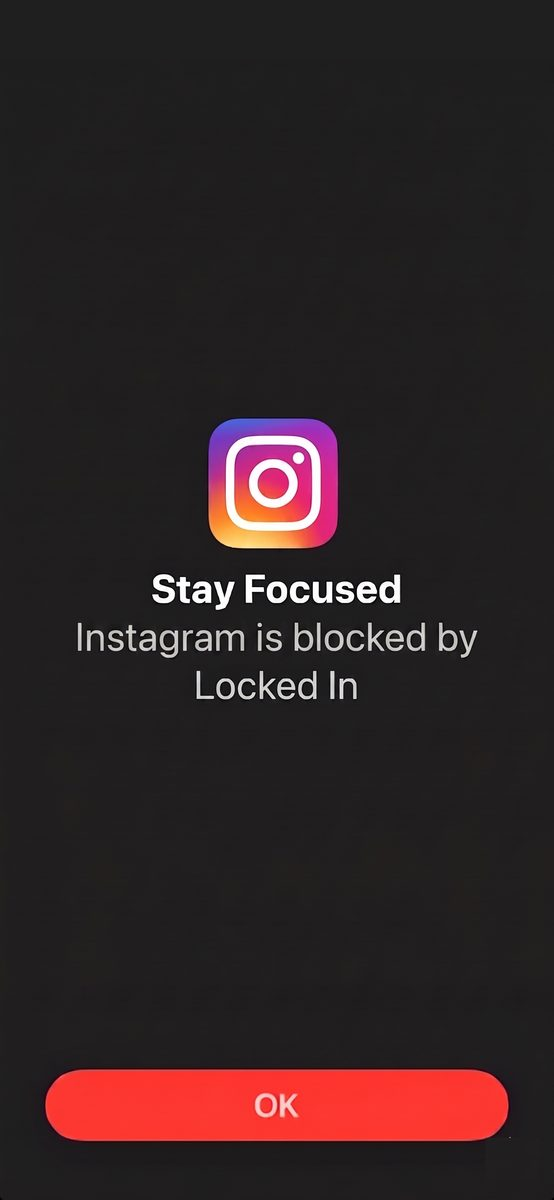
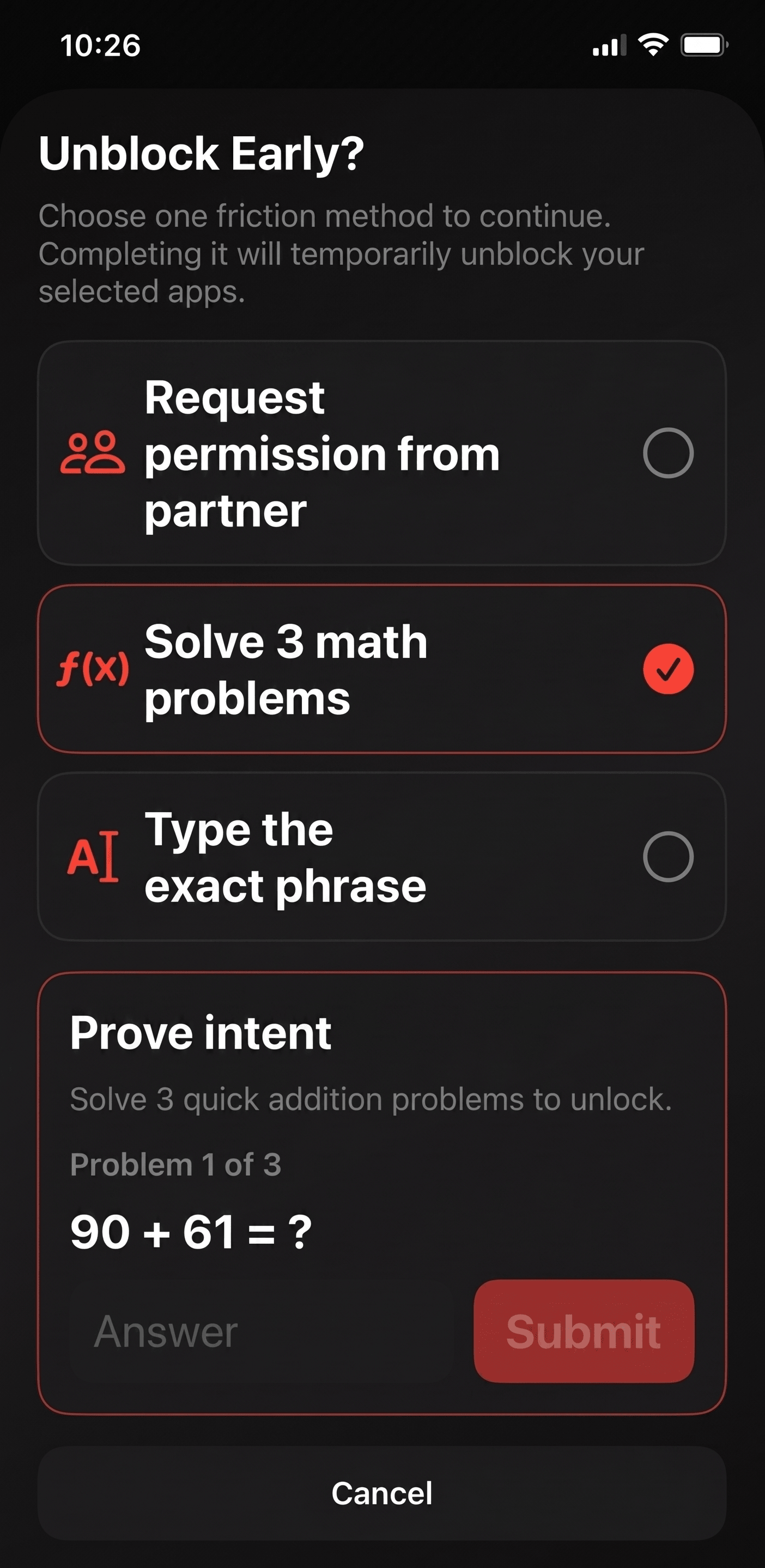
Locked In is an iOS app blocker for people who want to spend less time on the apps that pull them in. You can start a block right away, set blocks on a schedule, or have apps blocked whenever you're at a place you pick. If you want out early, you can ask a friend to approve it or solve a short challenge, so leaving a block takes a moment of thought.
How it works
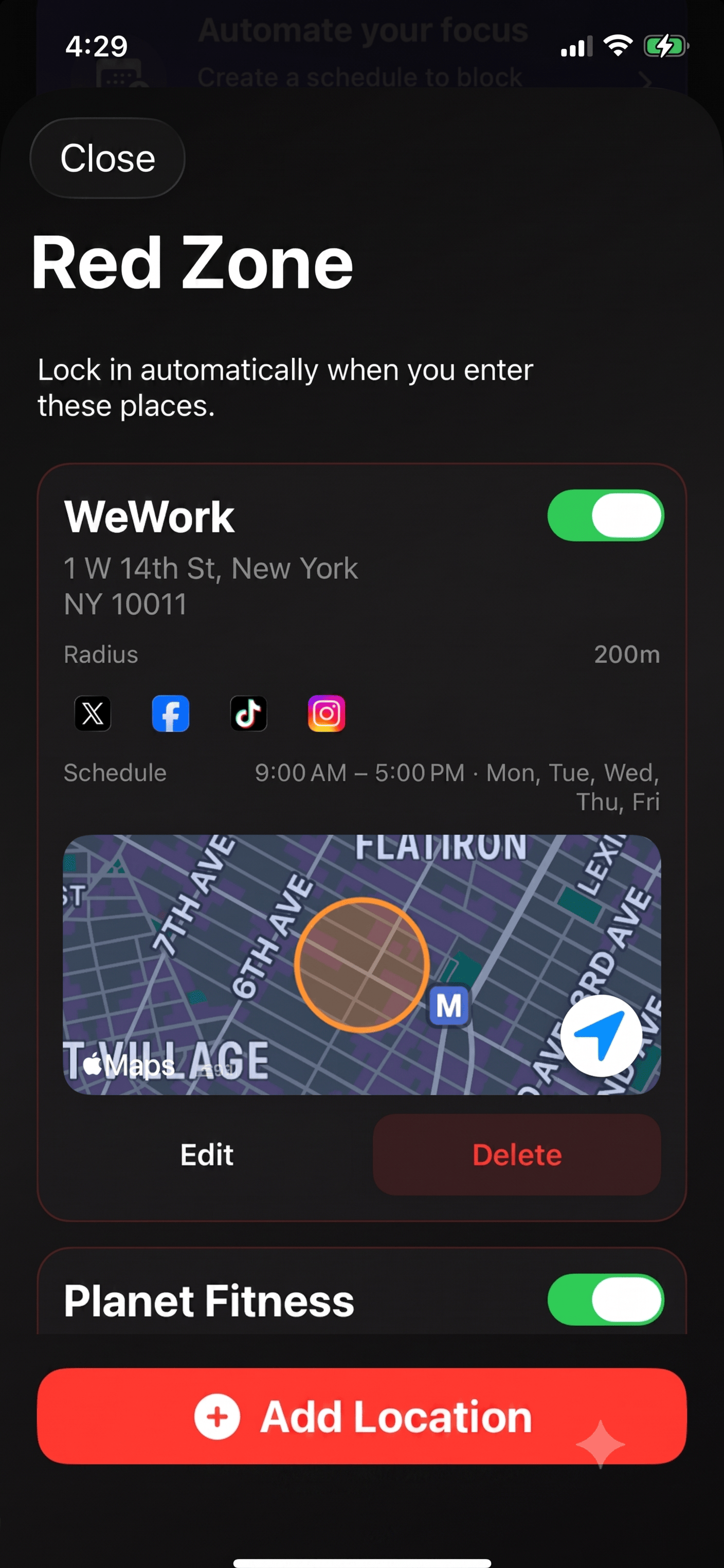
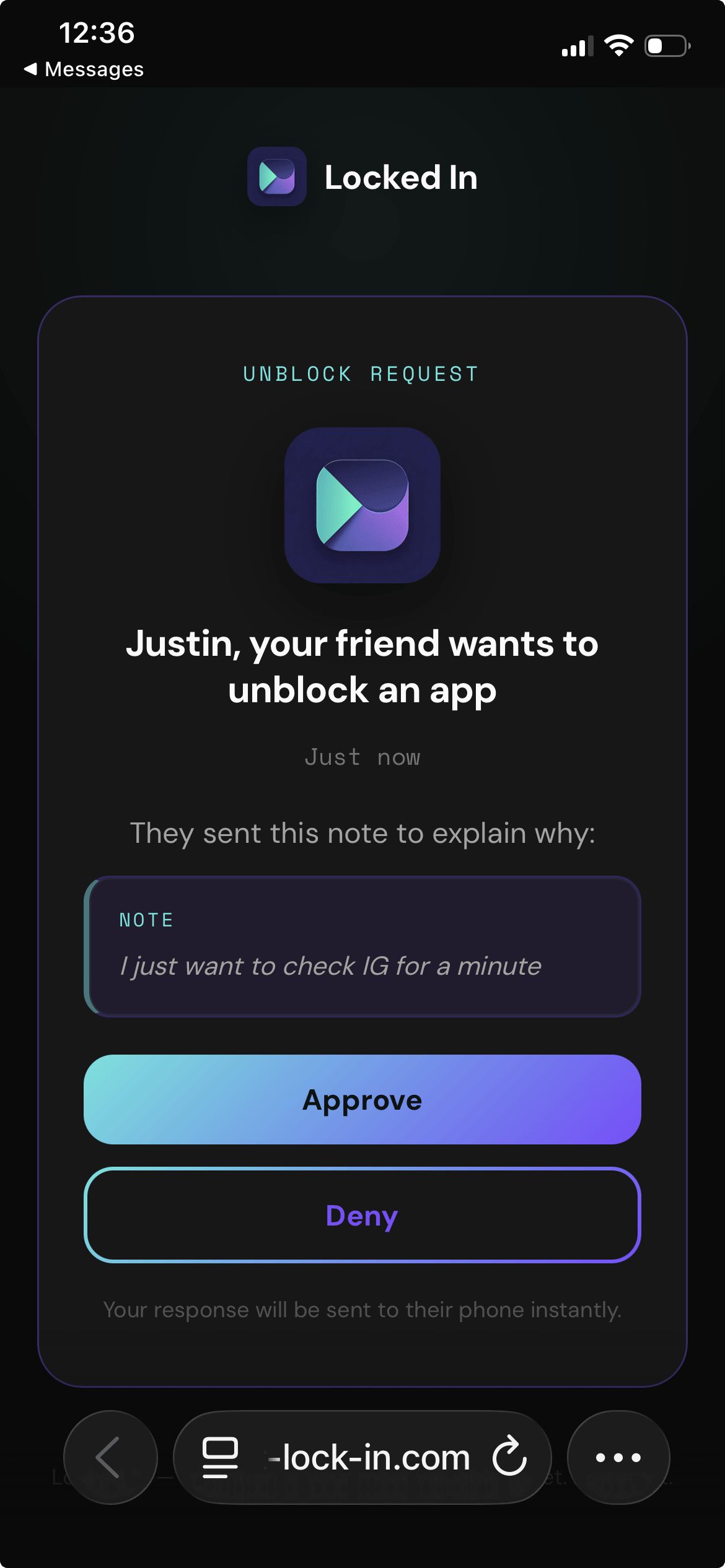
Locked In is built around two Pro features that work together. Guardian lets you text a friend to unblock apps: if you try to end a block early, a friend you pick approves or declines by text and a web page. Requests expire after 15 minutes. It's a friend keeping you honest, not a hard lock. Red Zones block chosen apps whenever you're at a place you pick, like your bed or office. Locked In combines location blocks (Red Zones) with a friend who keeps you honest (Guardian). Beta testers reported getting back 10+ hours a week, about 20 days a year.
Key features
- Quick Block: start a block in one tap. The free plan includes one Quick Block a day. Pro blocks up to 4 hours, extendable.
- Schedules: block chosen apps at set times.
- Red Zones: block chosen apps whenever you're at a place you pick, like your bed or office.
- Guardian: when you try to end a block early, a friend you pick gets your request by text and approves or denies it on a page that opens in a phone browser. Requests expire after 15 minutes. It's a friend keeping you honest, not a hard lock.
- Challenge option: you can choose a math or typing challenge instead of Guardian.
Screenshots
Pricing
- Free plan: one Quick Block a day.
- Pro: Quick Blocks of up to 4 hours (extendable), Red Zones and Guardian. Starts with a 7-day free trial. Cancel anytime.
From the founder
"I'm Neelam Desai, and I built Locked In on my own as a solo developer. I'd go out of my way to get somewhere I could focus, like a coffee shop, and then spend the time scrolling instead of working. I'd sit down and think, okay, just five minutes, and it would turn into 30 or 45. That's why I wanted location blocks. Guardian came from something more personal: back then, it was embarrassing to admit I had a phone addiction. It was never really about whether a friend approves or denies. Just knowing I'd have to ask someone to unlock my apps, the shame of even asking, would get me back to work."
"It's not about whether my friend says no. Just having to ask was enough to get me back to work." - Neelam Desai, maker of Locked In
Press kit
locked-in-press-kit.zip (19.3 MB)
Includes the app icon, screenshots and this fact sheet.
Press contact
More about Locked In
- How to block apps on iPhone (guide hub): https://get-lock-in.com/how-to-block-apps-on-iphone
- Block apps by location: https://get-lock-in.com/block-apps-by-location-iphone
- Accountability-partner app blocker: https://get-lock-in.com/accountability-partner-app-blocker
- Locked In vs Opal: https://get-lock-in.com/locked-in-vs-opal
- Locked In vs ScreenZen: https://get-lock-in.com/locked-in-vs-screenzen
- Locked In vs one sec: https://get-lock-in.com/locked-in-vs-one-sec
- Best accountability-partner app blockers: https://get-lock-in.com/best-accountability-partner-app-blockers
- All guides: https://get-lock-in.com/resources